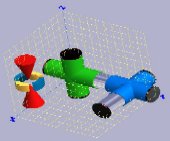
Abstract: Virtual Device is an add-on software package to
SIMION 7/8.0/8.1 and future versions. It covers several features not fully
developed in SIMION such as graphical geometry (GEM) building, data
analysis, and ion movement in a gas.
Virtual Device was developed independently by SIMION user Dr. Sergei
Koltsov,
St. Petersburg Russia (HSE-Saint Petersburg).
Main Features
- Build geometry (GEM) files graphically.
- Analyze SIMION data recording data (e.g. histograms/spectrums, phase plots, resolving power, and mobility calculations)
- Optional hydrodynamics version:
Navier-Stokes gas flow solver for
supersonic, compressible, invicid flow conditions (e.g. supersonic jet),
explorting gas flow, pressure, density, temperature, and velocity
PA's into a SIMION collision model.
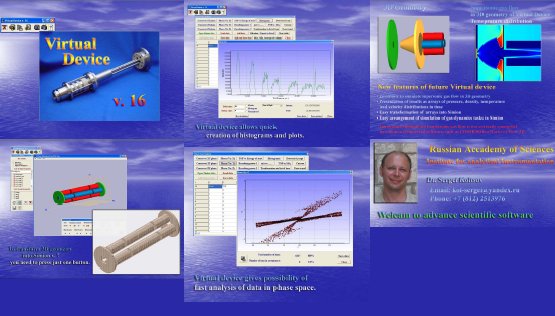
Click to download above PDF poster.
Documentation
Manuals can be downloaded below:
- Virtual Device, Demo Version, Manuals, Date:2012-04-25
- This includes
- 3D Editor manual (~112 pages, for both Light and Hydrodynamic versions)
- Data Analysis manual (~34 pages, for both Light and Hydrodynamic versions),
- Virtual Jet manual (~87 pages, for Hydrodynamics version only),
- ESI interface manual (abridged ~53 page version in demo,
for Hydrodynamics version only),
- Slides (~19 pages).
Short Visual Overview of Virtual Device
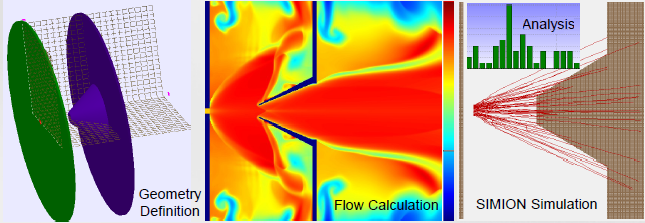
The first program in Virtual Device is the 3D Editor:
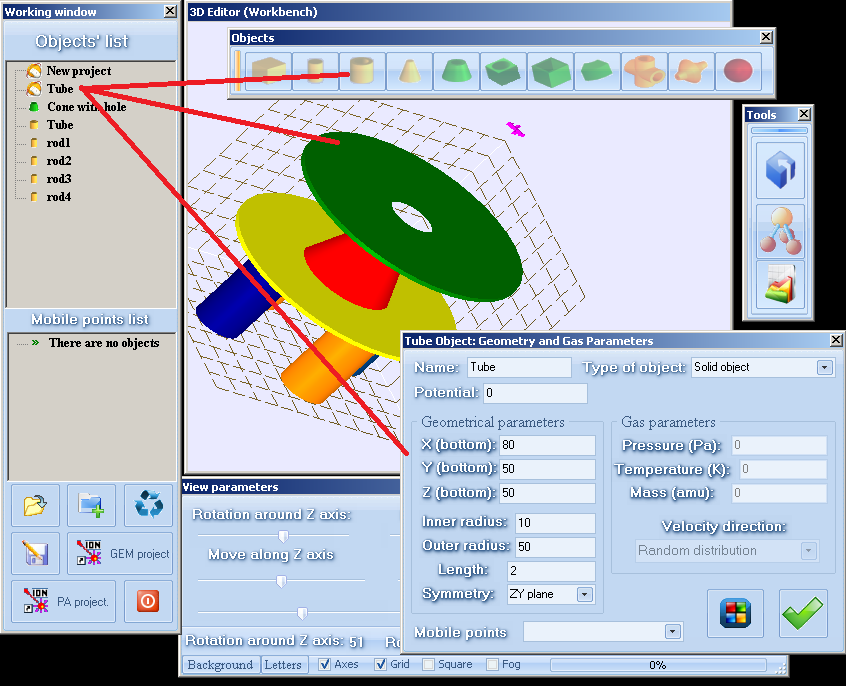
Here, you can draw your electrodes using a selection of shapes.
Each shape has various parameters that may be set.
The system can be exported as a SIMION GEM file for loading into SIMION.
(In the Hydrodynamics version of Virtual Device, gas flow boundary
conditions can also be defined here in the same model and exported
to the Virtual Jet flow calculator.)
The next main program is Data Analysis:
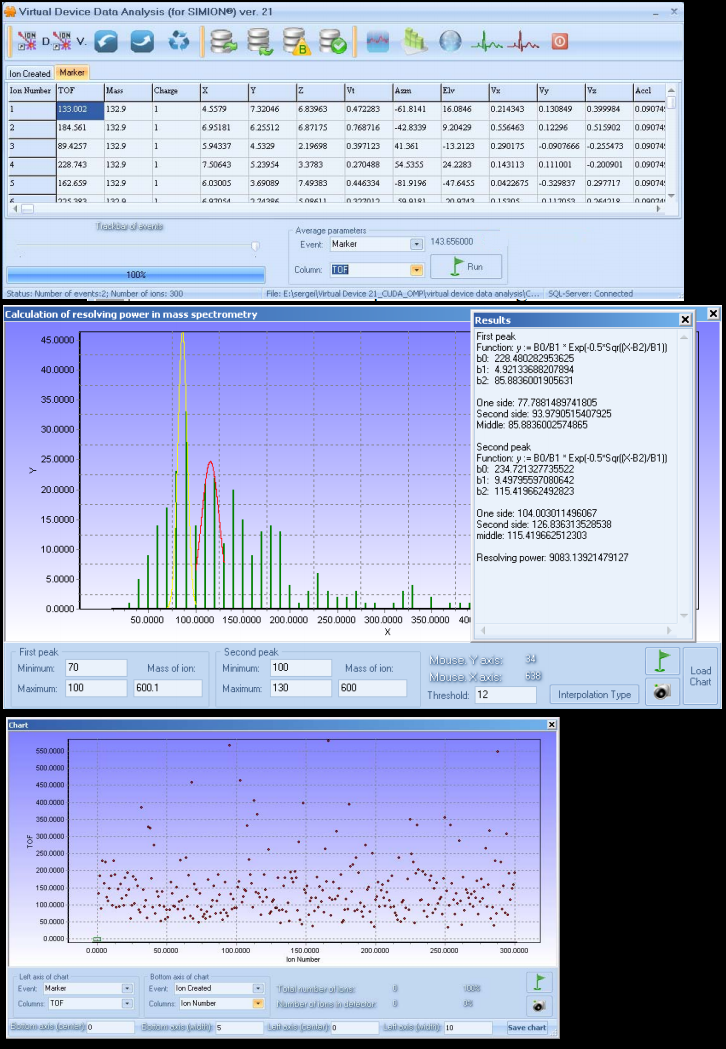
Data Analysis can load SIMION Data Recording results and perform various
plotting and analysis functions, some of which are
specific to mass spectrometry.
Special Hydrodynamics Version - Supersonic Jet Simulation
A more advanced version of Virtual Device is also available that
supports the flow calculation and
simulation of ion movement in a supersonic jet. See
Virtual Device 21 Hydrodynamic
Version.
Notices
Dear user of SIMION and Virtual Device,
I would like inform you that version 18 is ready.
Now it includes new feature which allows creating very complicated
geometries with axial symmetry in only a few minutes. You can obtain
information from the full manual. Moreover, this version contains a model of ion movement in
gas. It includes a very detailed description of the math/physical
model, tests and PRG file with a model. The part of this model (tests
only) is also available on a page. The general overview of ion
movement in supersonic jet is in poster Application of electrospray
mass-spectrometry for nanoparticle investigations: Simulation of ion
movement in a supersonic jet. Koltsov S., Walther C. 17th
International Mass Spectrometry Conference, 2006. (available here)
Last note: the official user of version 18 will get the next
version for free. I am planning to support a new features of SIMION 8
in Virtual Device version 19.
Best Regards Sergei Koltsov
Dear User of SIMION software,
I would like to present a fresh version of
Virtual Device. It is version 16. I am glad that my software is already
used by above 100 people from different countries. Thanks for your
suggestions and remarks. Version 16 is the last version which is for
free.
I also continue to work on the next version. What will be in next
versions. First of all, I will add the possibility to create 3D
geometries of spheres/half spheres and grid as a single object. I also
add the possibility to create the 3D geometry of any axial symmetry
system. If you a have text file with two columns, which describes the
shape of electrodes, you can recreate these electrodes as a 3D geometry in
my software and of course transform these electrodes into SIMION. This
feature is very important for scientists who deal with the simulation of
energy analyzers. One of the main problems in the simulation of energy
analyzers is the problem of electrode shape. If you like to prove the
resolution you need to change the shape of the analyzer. By using my
software you can do this very easy and quickly.
The other direction of my software is connected to the simulation of
ion movement in special gas flow. The main problem is in arranging
the description of gas flow in SIMION. Many articles devoted to this
problem are addressed to a resting gas. But if you like to simulate
supersonic gas in some 3D geometry, what are you going to do? I see
only one way. You will try to simulate gas flow in some CFD software
and then transform the results of the simulation to a SIMION PRG
file. But, does commercial software actually give correct results? I
just checked CosmosFlowWorks and 3D Flow. Both of them give completely
wrong results for a supersonic jet. I would like to remind that one of
main directions in mass-spectrometry is the investigation of the ESI
source and coupling this source to mass-spectrometer. The simulation
of ion movement in different pressure regions is one of problems of
such coupling. Therefore, I developed my own software, which
simulates gas flow in 3D geometry in Virtual Device. The results of
the simulation are arrays of pressure, density, temperature, and
velocity distribution of gas in a 3D geometry. This geometry can be
easily transformed to a SIMION geometry, and the user can use those
arrays in a PRG file. I like to stress that my CFD software is tested
with experimental results, which is of course very important.
Therefore simulation of gas-dynamics task in SIMION becomes very
simple.
Sincerely yours, Koltsov Sergei
Dear Friends,
When I started to work with SIMION I found that
SIMION does not cover two main parts. First of all, if you like to
create a very complicated geometry, you have to write a program in the
SIMION GEM language. In principle, it is not a problem for people who
have experience in making these programs, but for others it can be
difficult. Moreover, if you have a complicated project and you need to
change some things in the project, for example to move positions of
many pieces, you need to change data in GEM file. Obviously it is not
convenient.
The second problem is following: Actually people
are interesting not only in trajectories, but also in some information
that can be obtained from results of a calculation. SIMION does not
cover the possibility of analyzing of results. The user has to write
own software or use some standard software like Sigmaplot or
Excel.
Now, I would like to introduce my own software,
which partially covers both problems. It has several parts. The first
one is a kind of CAD program. You have a list of standard parts:
box, cylinder, tube, solid cone, solid cone with hole, box with hole,
box with split, ideal plane grid, segment, cross, and ideal conical
grid. You can create a complicated plane by choosing elements from the
list. You can change sizes of your parts or remove a number of parts very
easy. When you have created your 3D project, you just need to press a
button, and my program will create the 3D geometry file in the SIMION
language (GEM). You can resize the project, and you can create a library of
your standard parts and use them in new projects. For example, to
create an orthogonal TOF (time of flight mass analyzer) with a system
of lenses inside of cross chamber with flanges, I have spent about 1
hour. How many hours do you spend to create such project?
After doing the calculation you need to get some
important information from the SIMION data. You can quickly
generate standard information (in a picture) like ion distribution in
different plane, ion distribution in phase space, a plot of time
of flight versus energy, time of flight versus m/z, calculate ions
intensity and resolving power for TOF. All data is stored in the grid;
therefore, you can plot any column versus any column. Some
times, people need to transform exit ion data to entrance data. For
example, you stopped your ions at some position and got some
information. Now you like to continue to run ions from the last
position. You can do that just by pressing one button. You can set up
position of acceptance and the program calculates how many ions in the
acceptance. You can also set up the position of the detector (it is
just a rectangle) and the program will give number ions in the
rectangle. You can also filter your SIMION data.
For my own work, I did additional things like
creating a special ion distribution. Of course, SIMION has own
possibility to do it, but sometimes it is difficult to use. For
example, it is not easy to create a disk of ions (cross, or crossing
many lines), or ions which has Gaussian distribution in energy in
SIMION. You can do it by pressing several buttons in my program.
At that moment, program is for free. I like to
share my knowledge with other people.
Sincerely yours, Sergei.
Dr. Sergei Koltsov
History
- 2012-04-25 - version 21.1 demo version available.
This version is simpler to use and faster (does not require SQL server anymore).
- 2011-10-01 - version 21 light available
- 2011-01-26 - version 21 hydrodynamics version, pre-release version available for purchase
- 2010-12-01 - initial version 21 hydrodynamics beta version
- 2006-10-17 - version 18
- 2006-01-10 - version 16
- 2004-07-23 - first public release
Downloads
A demo version of Virtual Device Hydrodynamics is accessible from
the "Check for Updates" button on main screen of the
SIMION 8.0 or 8.1 software.
You may use the Demo version for about one month for the purpose
of testing the software (non-production work).
If you're interested in gas flow calculations, be sure to see
the Quick Tour of the Virtual Device Demo.
Details on the
latest version 21 Light are described in the online manuals above.
People who have purchased Virtual Device 18 are entitled to a free
upgrade to Virtual Device 21 Light. Click the "Check for Updates"
button in SIMION 8.0 or 8.1 to download the Virtual Device update.
DISCLAIMER:
Virtual Device is developed independently Dr. Sergei Koltsov, not by SIS.
SIS has tested Virtual Device in 2012
and found it very functional, but SIS makes no warranty or guarantees.
SIS no longer sells this product.
Conclusion
For additional details and information on other features, please
see the short guide included with the software and the overview/screenshots.
Dr. Sergei Koltsov
Deputy Director Internet Studies Laboratory, Associate Professor,
Department of Mathematics, HSE
St. Petersburg, Russia
E
-m
ail:

Sergei has extensive experience in SIMION.
